
Liquid Asset Registry V2
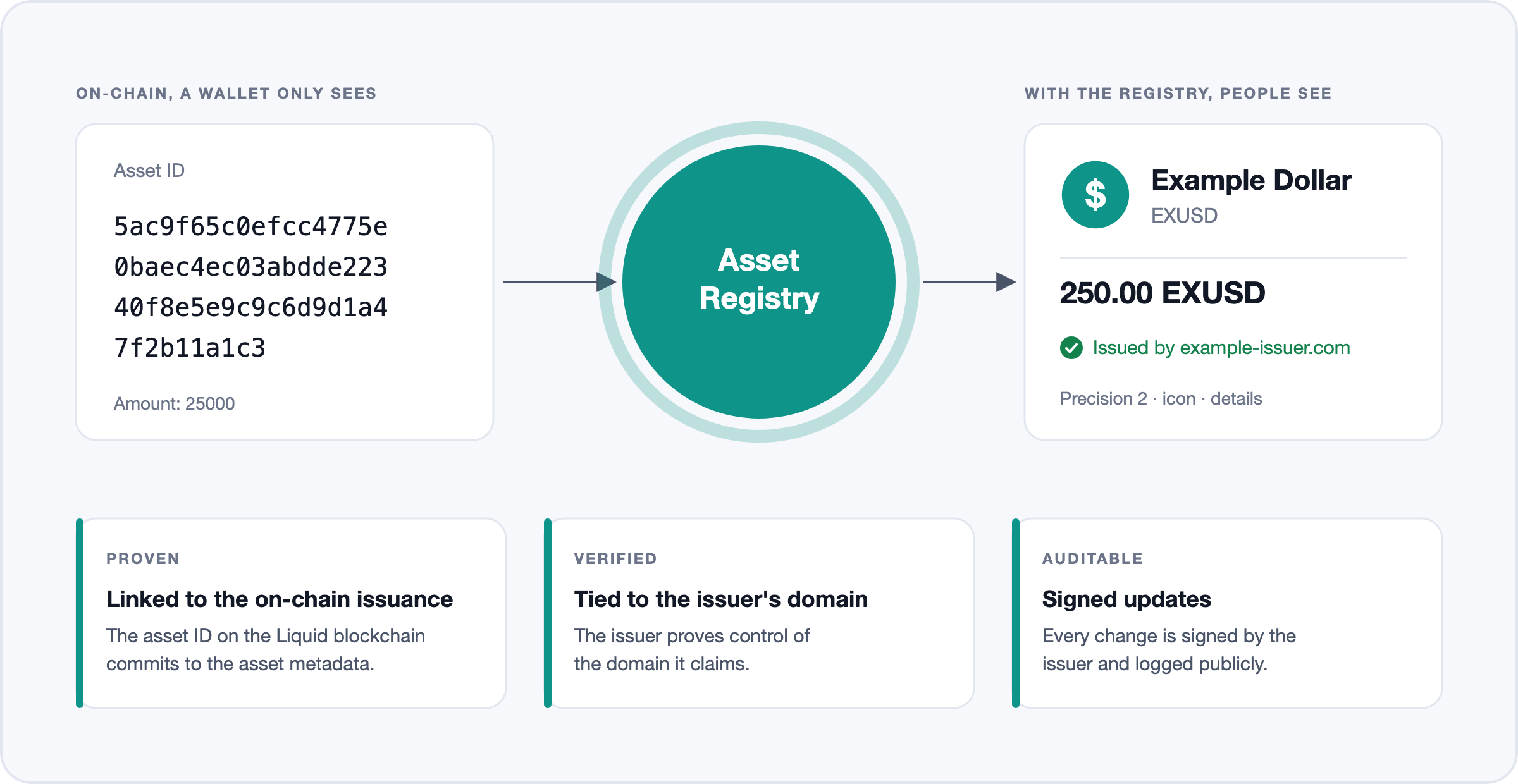
The asset registry turns Liquid asset IDs into names people recognize. Issuers register their assets and keep the details current, and wallets and explorers read them. Version 2 keeps the legacy API working and lets issuers update their metadata with signed changes anyone can audit.
Start here
| I want to… | Go to | Steps |
|---|---|---|
| Show asset names and icons in my app | Quickstart | Read an asset → search → fetch its icon (no key needed) |
| Register a new asset | Register an asset | Build the contract → compute its hash → issue → publish a domain proof → POST /v2/assets |
| Prove I control my domain | Domain verification | Pick HTTP file, DNS TXT or a pubkey-bound proof (one proof for all your assets) |
| Update tags, venues or custom fields, or rotate my key | Updating asset metadata | Get the latest action hash → build and sign the action → POST …/actions → handle retries |
| Add or change my asset's icon | Adding an icon | Prepare a 500×500 PNG → propose it (signed) → wait for review → clients fetch the new URL |
| Use v2 features on a legacy asset | Migrating from legacy | Get it migrated → then use the issuer actions above |
| Add v2 registration to my library or wallet (e.g. LWK) | Libraries that register assets | Add version 2 contracts → hash as before → POST /v2/assets → keep the issuer key signable |
| Keep a local copy of the registry | Sync the registry | Bootstrap from all.json → poll changes with updated_after → read removals from the audit log |
| Verify an asset's history | Verify the audit trail | Read the audit log → check hashes and the chain → rebuild the key history → verify signatures |
| Operate the registry (admins) | Admin Endpoints | Permissions → moderation → icon review → migration |
At a glance
| Base URLs | https://assets.blockstream.info (Liquid) · https://assets-testnet.blockstream.info (Liquid Testnet). Legacy endpoints at the root, v2 under /v2 |
| OpenAPI | /openapi.json on each host; Swagger UI at /docs |
| Reads | Public, no authentication, CORS * |
| Writes | Signed with secp256k1 keys (no API keys). Send them from a server or CLI, because browsers can't send the signature headers. Signing requests |
| Requests | Send Content-Type only with a body. Unknown query parameters are rejected (400). Formats and errors: Conventions |
| Tooling | TypeScript SDK: typed clients, canonical JSON and signing helpers |
| Format | JSON, except icons (PNG) and two legacy endpoints (plain text) |
Examples use the Liquid mainnet base URL. For testnet, swap in
https://assets-testnet.blockstream.info. Testnet data is separate, so test writes there first.
Quickstart
-
Read an asset
No key needed.
curl https://assets.blockstream.info/v2/assets/aa909f1b77451e409fe95fe1d3638ad017ab3325c6d4f00301af6d582d0f2034 -
Search
curl "https://assets.blockstream.info/v2/assets?ticker=BMN&sort=ticker_asc&page_size=2" -
Show its icon
Resolve
icon.hrefagainst the base URL; the image never changes, so cache it.curl -o icon.png "https://assets.blockstream.info/v2/assets/aa909f1b77451e409fe95fe1d3638ad017ab3325c6d4f00301af6d582d0f2034/icon/9389e4e5458f76347a0f5bcd8f963f6aa3e14c1b6b923d5304c91f63614a5212.png" -
Issuers: register or update
New asset: Register an asset. An existing asset is legacy (every mainnet asset is today) and must be migrated before it accepts signed updates. Every Issuer Action Endpoints endpoint has complete JavaScript, Python and Go programs.
Updated about 4 hours ago